Lightweight uptime monitoring for indie developers and small teams. Push + Telegram alerts. No complexity. Just status.
Free to start · No credit card · Web & Mobile
Features
Built for developers who want to know when something breaks — not for DevOps teams who want to manage infrastructure.
Integrations
Push and Telegram are live today. Email, Slack, Discord and webhook delivery are on the roadmap — vote in the dashboard for what ships next.
Product
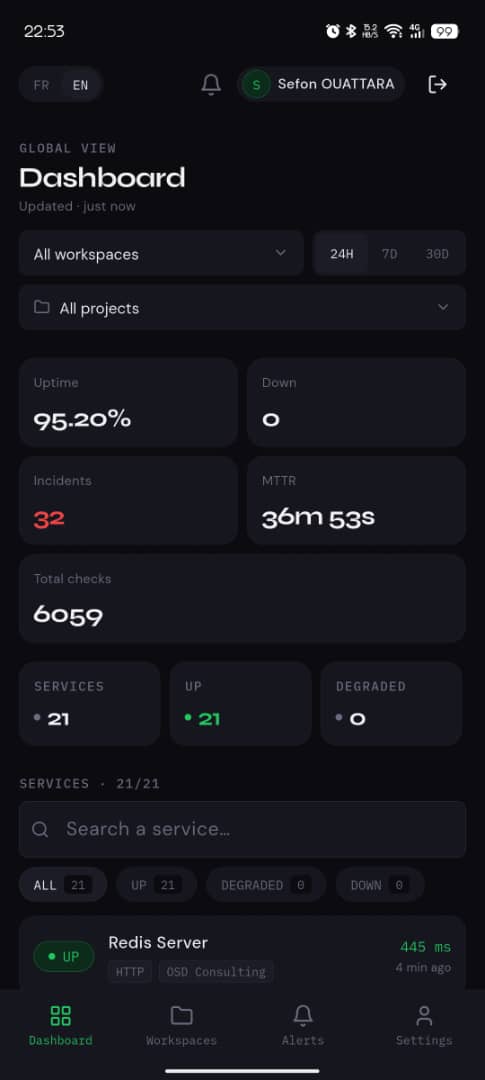
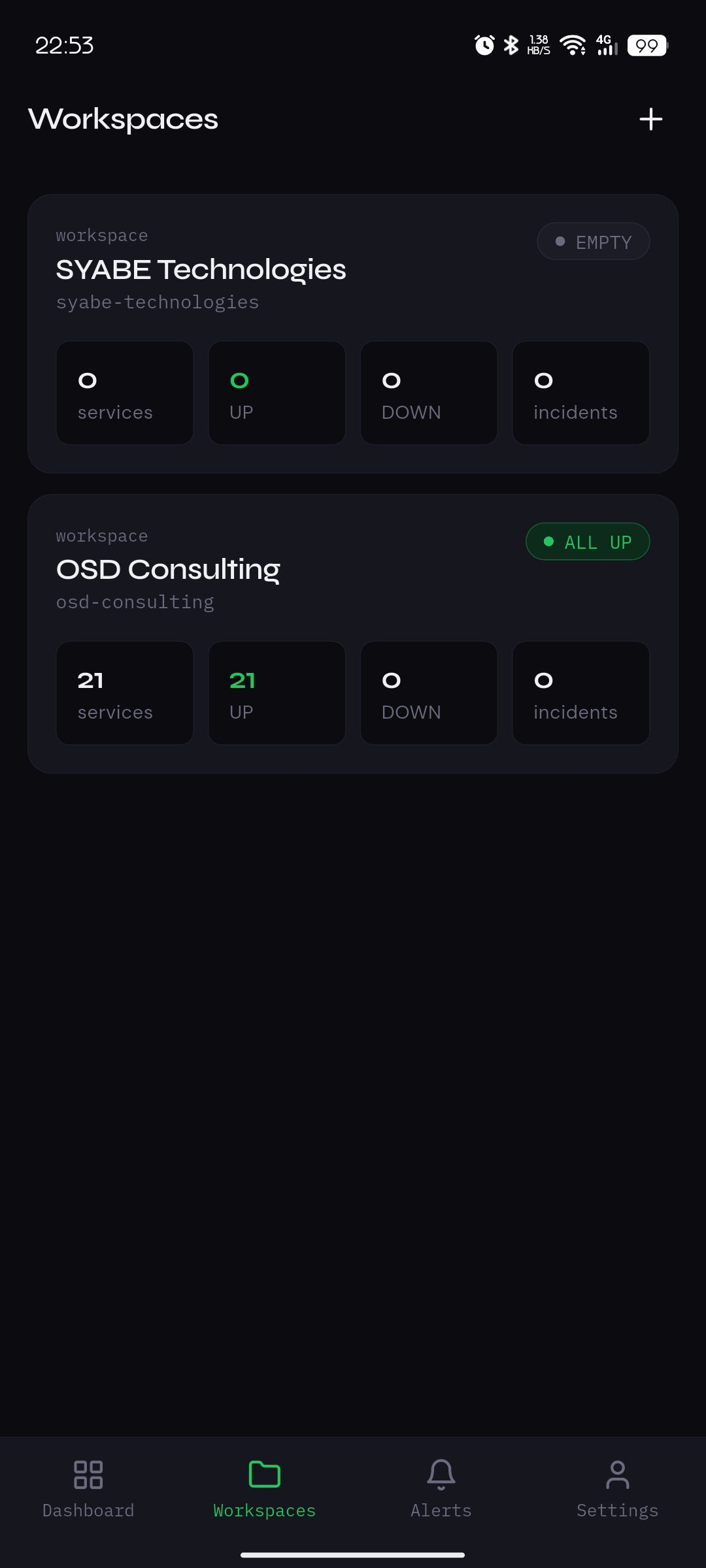
Full-featured dashboard on the web, lightweight and fast on mobile. Same data, everywhere.
How it works
Alerts
Alerts land on your phone in under 30 seconds via Push or Telegram. No inbox. No noise.
Comparison
Honest side-by-side with the tools you'd otherwise consider. We're optimized for indie devs and small teams — not enterprise on-call.
| Feature | AreTheyUp | UptimeRobot | BetterStack | Pingdom |
|---|---|---|---|---|
| Forever-free plan | ✓ 10 services | ✓ 50 monitors | ✓ 10 monitors | — Trial only |
| Min check interval (free) | 5 min | 5 min | 3 min | — |
| Min check interval (paid) | 30 sec | 1 min | 30 sec | 1 min |
| Native mobile push | ✓ | ✓ | ✓ | — |
| Telegram alerts | ✓ 1-tap | ✓ | — | — |
| DB / Redis monitoring | ✓ Built-in | — | — | — |
| Workspaces & projects | ✓ | — | ✓ Teams only | — |
| Public status page | ✓ | ✓ | ✓ | ✓ |
| Multi-currency / FR UI | ✓ EN/FR · USD/EUR/XOF | — | — | — |
| Unlocks start at | ☕ Pay what you want | $7 / mo | $29 / mo | $15 / mo |
Pricing & feature data is publicly listed on competitor sites as of May 2026. We update this table when their plans change.
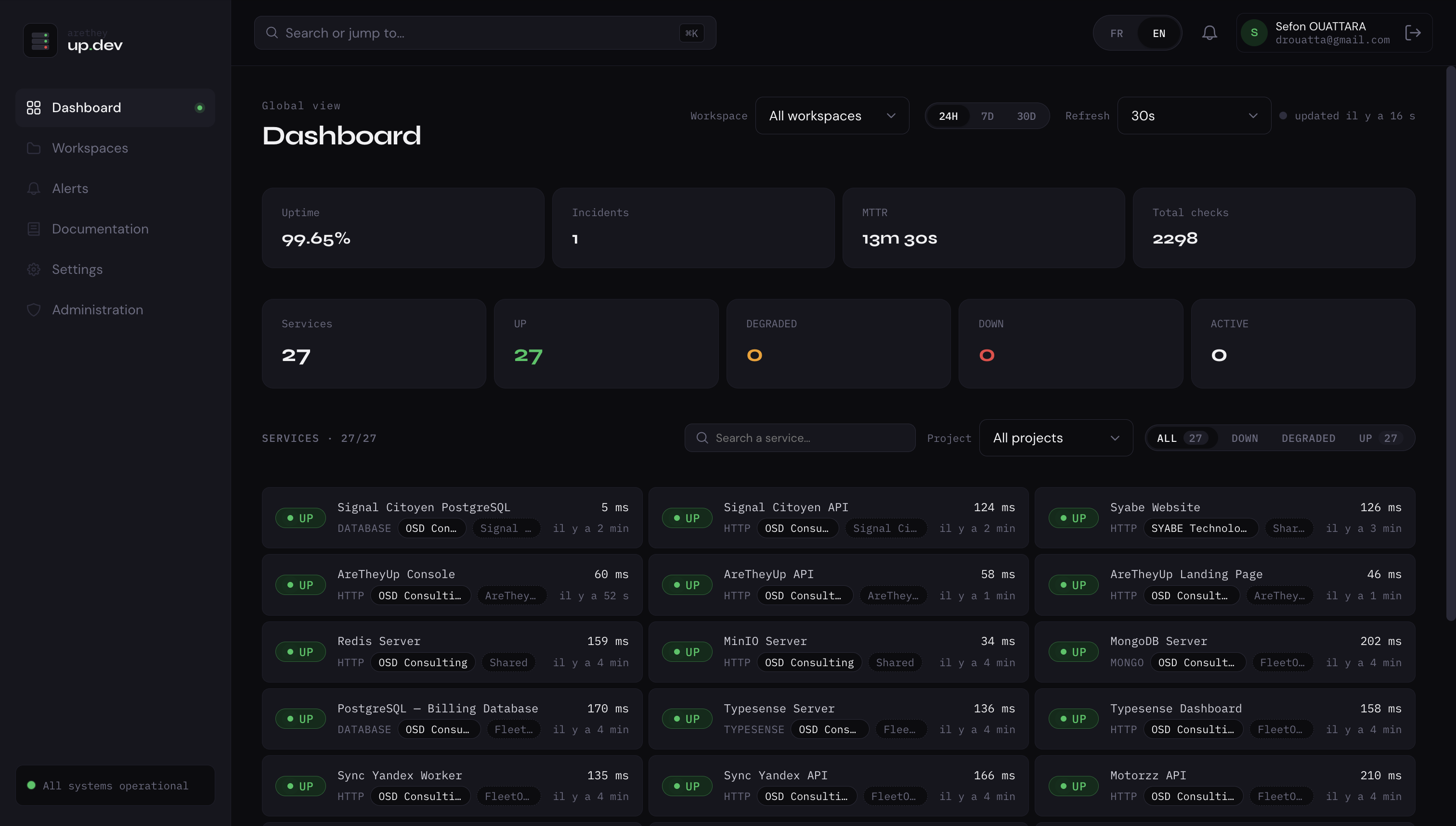
Preview
A peek at the dashboard you'll be working in. Sign up free to start tracking your own services in 30 seconds.
Dogfooding
If our own platform isn't up, you'd see it here first. Pulled live from our public status feed.
Numbers refresh from our public stats feed. Updated daily.
Plans
No subscriptions, no per-seat charges. Built by a dev, for devs. Like the tool? Buy me a coffee and get the unlimited tier.
| Feature | Free | ☕ Coffee | Enterprise |
|---|---|---|---|
| Services | 10 | Unlimited | Unlimited |
| Check interval | 5 min | 30 sec | 30 sec + custom |
| Service types (HTTP, DB, Redis, TCP) | ✓ | ✓ | ✓ |
| Telegram alerts | ✓ | ✓ | ✓ |
| Mobile push alerts | ✓ | ✓ | ✓ |
| Email alerts | — | ✓ | ✓ |
| Slack / Discord | — | Upcoming | Upcoming |
| Webhooks | — | Upcoming | ✓ |
| History retention | 30 days | 90 days | Custom |
| Workspace members | Up to 3 | Unlimited | Unlimited |
| Public status page | ✓ | ✓ | ✓ + custom domain |
| Weekly reports | ✓ | ✓ | ✓ |
| Support | Community | Email · 24h | Dedicated · SLA |
| Invoice billing | — | — | ✓ |
| SSO / SAML | — | — | On request |
FAQ
Don't see yours? Email hello@aretheyup.dev.
Changelog
A small team, shipping consistently. Every meaningful update lands here.
USD, EUR and XOF support across pricing and billing. Full French translation for nav, features, alerts and contact flows.
Native push notifications via Firebase. Manage workspaces, ack incidents, view real-time status — all from your phone.
Share a real-time, no-login URL with your users. Custom subdomain support on the Coffee tier.
Invite teammates, assign admin or viewer roles, and let each member configure their own alert channels.
HTTP, DB and Redis monitoring. Push and Telegram alerts. Forever-free with 10 services. Coffee tier (☕ pay what you want) unlocks unlimited.
Resources
Short, opinionated guides on the questions developers ask before — and after — picking a monitoring tool.
How often should you check your endpoints? It depends on what you'd lose during the gap. A 5-minute interval means you might learn about an outage 5 minutes after it starts — fine for a side project, painful for a checkout flow.
The math: if your worst-case downtime cost is $X per minute, your check interval should be far shorter than the time it takes you to lose $X. For most production apps, 30–60 seconds is the sweet spot. Sub-10-second checking sounds nice but mostly produces alert noise from transient blips.
The exception: anything customer-facing during peak hours — checkout, login, signup — deserves 30s checks even on hobby projects, because the cost of a missed outage is reputational, not just dollar-denominated.
Your API endpoint can return 200 OK while your database is dropping connections, your Redis cache has stalled, or your message queue is backed up. By the time HTTP requests start failing, users have been hitting timeouts for 5+ minutes.
The fix: monitor each tier independently. A direct PostgreSQL connection check tells you the database is reachable and responding. A Redis PING confirms cache health. Pair these with HTTP checks on your API and you'll see infrastructure problems before they become user-visible outages.
The classic anti-pattern: a /health endpoint that just returns {status: "ok"} without actually probing its dependencies. That endpoint is always the last thing to fail — not the first thing to warn you.
The fastest way to break trust is to mark something operational while customers are getting timeouts. Three rules:
The fastest way to train yourself to ignore alerts is to send 50 of them per week to the same Slack room. A channel-by-severity matrix that actually works:
The principle: the more disruptive the channel, the more critical the alert needs to be. A push notification at 3am should mean something is genuinely broken — not "response time is 50ms higher than usual."
More guides land in the changelog as we publish them.
Free. No credit card. No complexity. Web & Mobile ready.
Questions, feedback, partnerships — drop us a message.